About Launch V Car Scanner
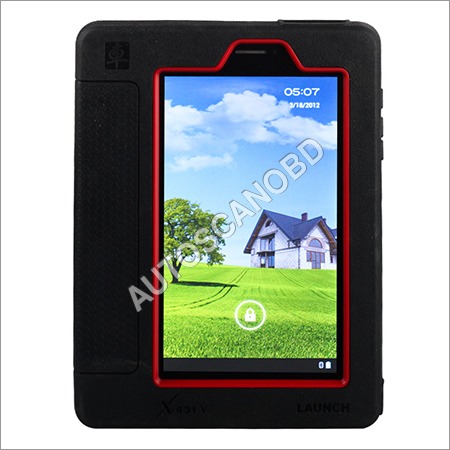
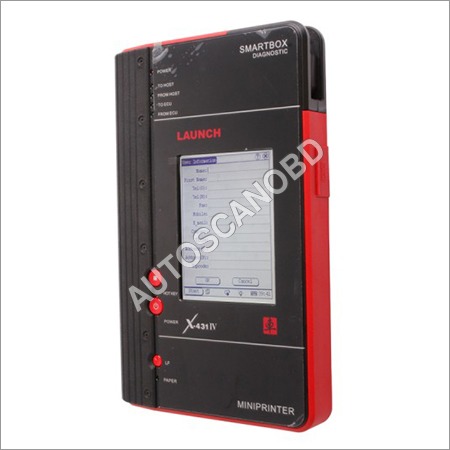
Launch V Car Scanner is a diagnostic tool designed for use by automotive technicians and enthusiasts. It is a handheld device that connects to a vehicle's onboard computer system to provide detailed information about the vehicle's performance and condition.The scanner features a large, color display that provides a user-friendly interface for accessing diagnostic information. It can read and clear diagnostic trouble codes (DTCs) for all vehicle systems, including the engine, transmission, ABS, airbag, and more.
Intuitive Display and Effortless ConnectivityWith a vivid 2.8-inch TFT color screen, the Launch V Car Scanner displays vehicle diagnostics with great clarity. Its OBD II and USB connections make linking to your car and updating software a straightforward task, promoting hassle-free usability for novices and professionals alike.
Robust Features for Comprehensive DiagnosticsDesigned for thorough automobile diagnosis, the scanner reads and clears trouble codes, presents freeze frame data, monitors I/M readiness and O2 sensor performance, and retrieves ECU information. Its swift data processing and user-friendly interface ensure efficiency in every diagnostic session.
Flexible Use Across Diverse EnvironmentsThe scanner operates smoothly between 0C to 50C and safely stores at temperatures ranging from -20C to 70C. Weighing approximately 350 g with an ergonomic design, its perfect for workshop, roadside, or personal garage use.
FAQs of Launch V Car Scanner:
Q: How do I connect the Launch V Car Scanner to my vehicle?
A: Simply plug the scanner into your vehicles OBD II port. The device draws power from the car directly, eliminating the need for additional batteries or adapters.
Q: What vehicles are compatible with the Launch V Car Scanner?
A: This scanner supports all OBD II compliant vehicles manufactured in 1996 or later, making it suitable for most modern cars and light trucks.
Q: When should I use the scanner to diagnose trouble codes?
A: Use the Launch V Car Scanner whenever a check engine light appears, during routine maintenance, or when you notice abnormal vehicle behavior. Prompt diagnostics help prevent further damage.
Q: Where can I update the scanners software?
A: Software updates are managed via USB connection to a PC. Updates should be performed periodically to ensure compatibility with newer vehicle models and enhance functionality.
Q: What is the process for reading and erasing diagnostic trouble codes (DTCs)?
A: After connecting to the OBD II port, use the keypad to select the Read DTC function. To erase codes, navigate to the Erase DTC option. Follow on-screen instructions for simple operation.
Q: How does the scanner benefit vehicle owners and technicians?
A: It provides quick access to critical engine data, helping identify issues early, reduce repair time, and lower maintenance costs. Multi-language support further broadens its accessibility.





 Send Inquiry


 Send Inquiry